
Clear a Roku TV cache with a soft reset or power cycle
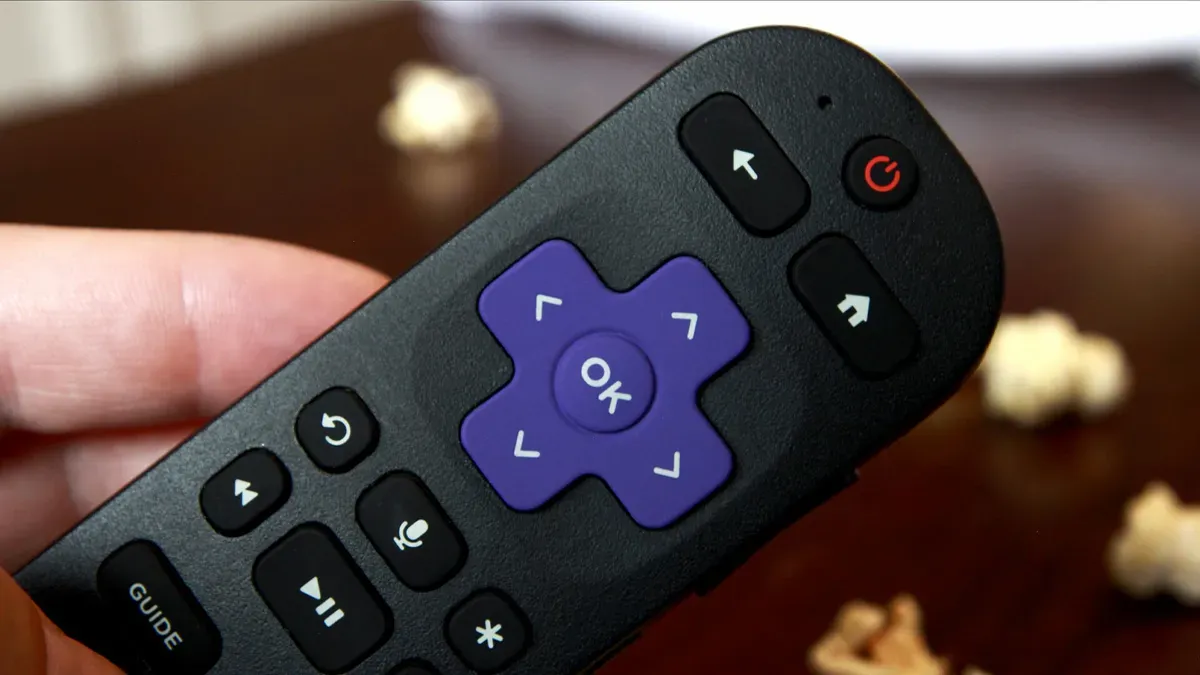
Roku TV owners can clear the device cache to address sluggish performance using two quick methods: a soft reset via the remote or a system restart combined with a power cycle. If those steps fail, a factory reset is presented as a last resort. To perform a soft reset with the remote, press the Home button five times, press the Up arrow once, press the Rewind button twice, then press the Fast Forward button twice.
If entered correctly, the Roku TV will freeze briefly and then restart; this is not a factory reset and should not remove downloaded apps or login information. To restart the system, go to Settings > System and select Power (or go straight to System Restart if Power is not visible), choose System Restart, then Restart.
After the unit restarts, unplug the Roku TV from the power outlet, wait about 60 seconds to allow any electrical charge to dissipate, then plug it back in and turn it on. The article says this power-cycle method helps ensure temporary files are wiped clean and also is not a hard reset.
If issues persist, the article notes you can perform a factory reset via Settings > System > Advanced System Settings > Factory Reset or use a physical recessed reset button (often needing a paperclip) held for about 10–30 seconds while the TV is powered on.
Key Topics
Tech, Roku Tv, Roku Remote, Cache, Power Cycle, Factory Reset