
This $5 cleaning gel and four simple PC maintenance tips
Regular maintenance keeps a PC running smoothly, lowers internal temperatures and helps extend hardware lifespan. Many people put it off, but a twice-yearly clean can prevent problems before they start. Before you begin, unplug the machine and, if possible, move it to a non-carpeted area to reduce static.
Flip the power supply switch and consider an anti-static wrist strap or mat if available. Useful tools include a can of compressed air, alcohol wipes or a microfiber cloth with 91% isopropyl alcohol, and an optional small tub of cleaning gel for keyboards. Open the case and use short bursts of compressed air to remove dust from inside; avoid continuous streams and never use a vacuum.
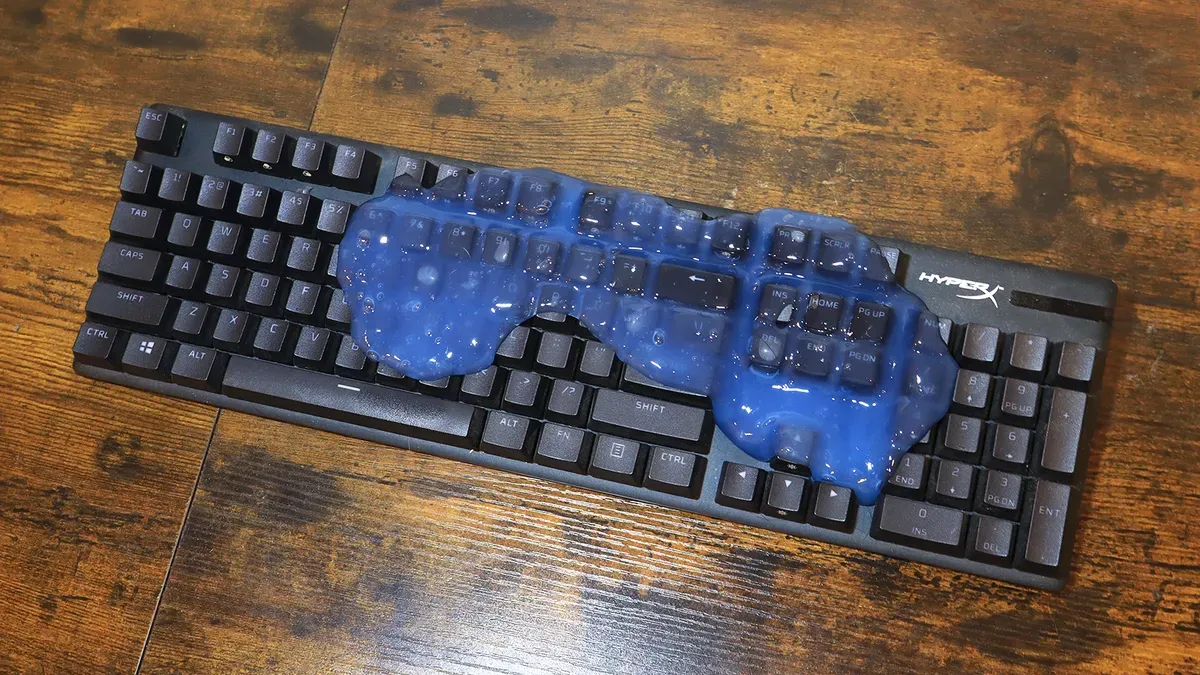
Wipe external surfaces with alcohol wipes or a slightly damp microfiber cloth, and clean monitors with a dry microfiber cloth. A reusable cleaning gel picks up crumbs between keys without harming switches — the author found a $5 Gems Keyboard Cleaning Gel effective.
pc maintenance, cleaning gel, compressed air, isopropyl alcohol, anti-static strap, keyboard cleaning, microfiber cloth, dust removal, power supply, hardware lifespan