
I turned on notification summaries on my Pixel 9 Pro
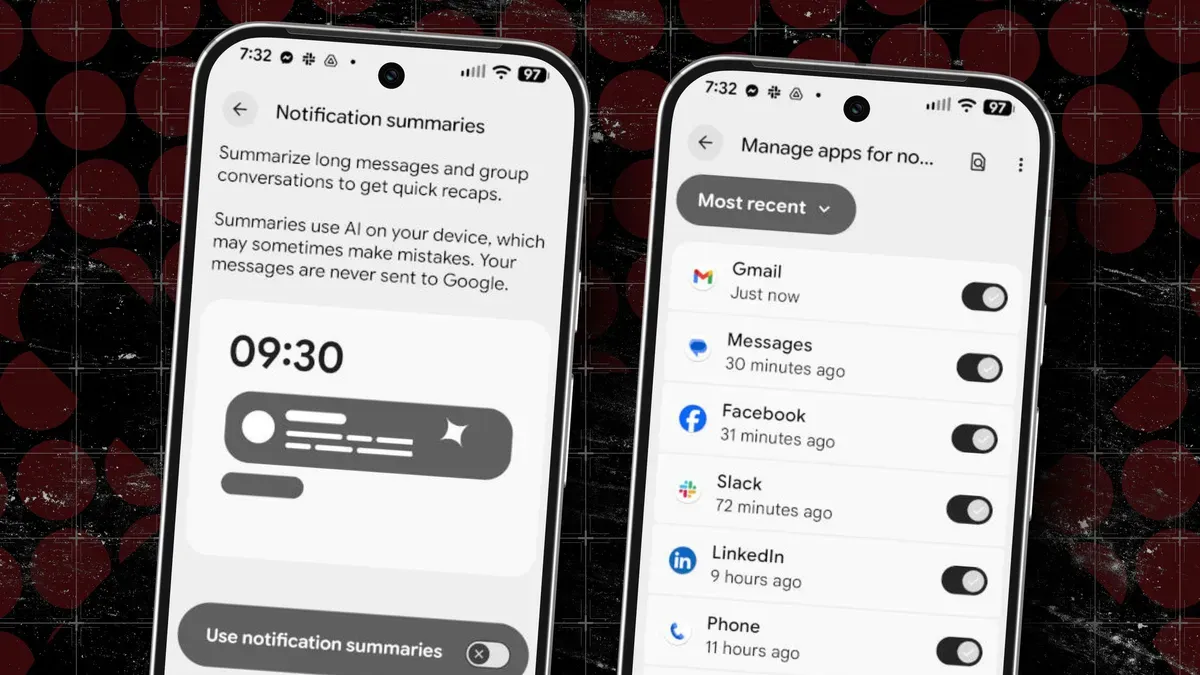
Android's notification summaries use on-device AI to condense longer messages from popular messaging apps and present the short versions on your lock screen, not while you're using the phone. Brief messages are not summarized, so you'll still open and read those as usual.
Because the summarization happens on-device, the Pixel 9a lacks the necessary power; the feature is limited to the 9, 9 Pro, 10 and 10 Pro. There is also a privacy trade-off: summaries shown on the lock screen can be seen by anyone with access to your phone. The feature is disabled by default.
To enable it, open Settings and tap Notifications, then use Manage apps to choose which installed apps are included. If you previously turned off lock screen notifications, you should now see a notification pill for the apps you've enabled; tap that pill to reveal the AI-generated summaries.
notification summaries, on-device ai, lock screen, pixel 9, pixel 9a, pixel 10, messaging apps, privacy tradeoff, manage apps, notification pill