
Turn an old Android phone into a Wi‑Fi extender
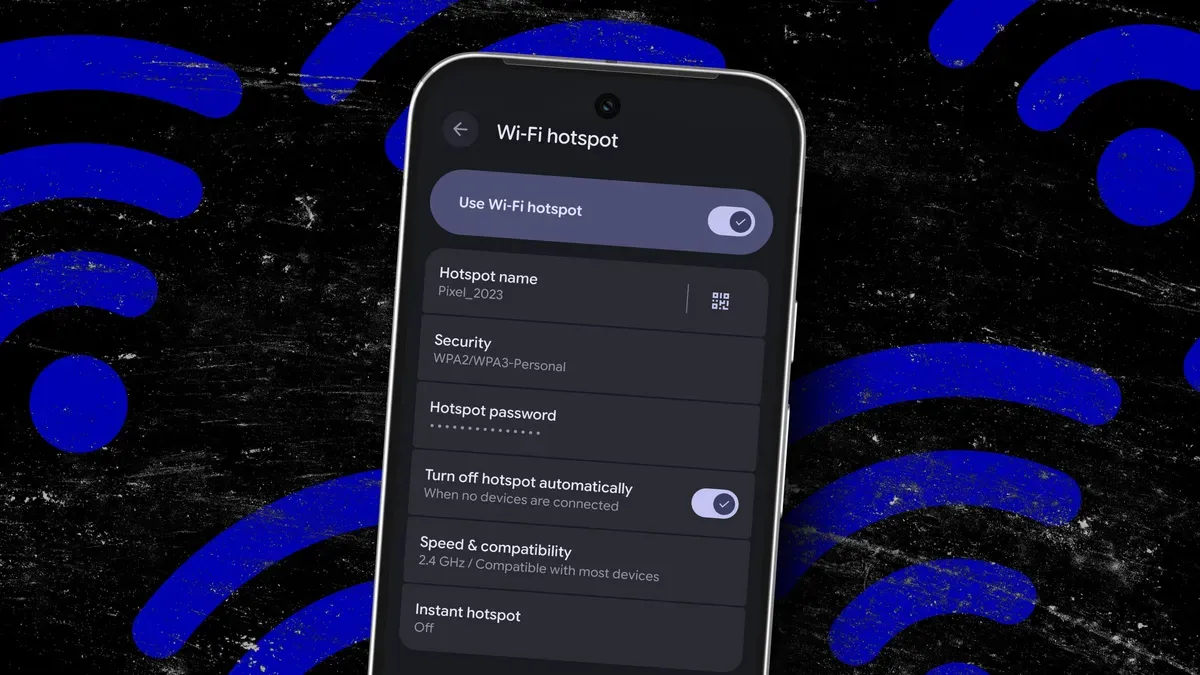
If you have an old Android phone, you can repurpose it to extend your home Wi‑Fi and fix dead spots. The phone rebroadcasts your existing Wi‑Fi rather than using mobile data, but it may deliver slower speeds than your main router. For best results, position the phone between the router and the weak area.
What you need: an Android phone with hotspot support, access to your home Wi‑Fi network, and a charger to keep the device powered. First connect the phone to your Wi‑Fi network, then enable its Wi‑Fi hotspot. On most Android phones go to Settings > Network and internet > Hotspot and tethering, then enable Wi‑Fi hotspot.
On Samsung devices go to Settings > Connections > Mobile Hotspot and Tethering, then enable Mobile Hotspot. Configure the hotspot name and password before connecting other devices. In the hotspot menu you can tweak options such as auto‑off when no devices are connected, and choose a frequency (2.4, 5, or 6 GHz) to affect compatibility and speed.
android phone, wi-fi extender, hotspot, tethering, mobile hotspot, wi-fi network, router, 2.4 ghz, 5 ghz, samsung