
Create a Wi-Fi password key using an NFC tag
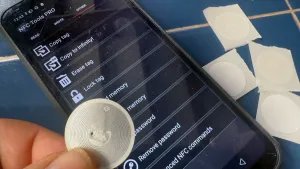
NFC tags are simple to write with a smartphone and can be embedded in documents, business cards or 3D‑printed objects. Writing data to a tiny chip lets a phone or tablet access a webpage or other information with a brief tap. You need two things: NFC tags and an NFC reader/writer app.
NTAG215-compatible tags are a common choice — inexpensive, widely available, with about 504 bytes of memory and a long data‑retention lifespan — and the NFC Tools app is available on iOS and Android. To write a tag that opens a webpage, in NFC Tools tap Write, Add a record, choose URL/URI, enter the address, then tap Write and bring the tag to the back of the phone; to test it, exit the app and tap the tag to the phone.
If you plan to write large quantities, you’d move into an industrial setup such as the Sato CT4-LX. Because tags are rewritable, protect them against tampering.
nfc tags, ntag215, nfc tools, nfc reader, nfc writer, wi-fi password, ios, android, url record, sato ct4-lx