
Three free tweaks that improve Sonos soundbar performance
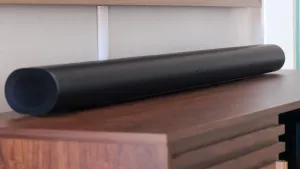
ZDNET’s Jada Jones says three free tweaks can dramatically improve the performance of Sonos soundbars. Start with placement: make the soundbar as close to eye level as possible, centered on the TV, and avoid putting it inside a cabinet. Jones notes that room layout, content audio format, room size and furniture all affect a soundbar’s output and Dolby Atmos performance.
To make Dolby Atmos sound more immersive, Jones says the problem is often a lack of perceived height; the suggested fix is to increase the Arc or Arc Ultra’s height channel volume. Adding rear speakers can expand the horizontal soundstage, and the Era 300 includes an upfiring tweeter for extra height.
The Beam and Ray lack dedicated upfiring speakers, and the Beam (Gen 2) is described as Sonos’ best compact option when on sale. For clearer dialogue, Jones recommends toggling Speech Enhancement, using Night Sound alongside it, turning Loudness off, and reducing bass in the EQ if needed — all settings available in the Sonos app.
She also says rear speakers and a subwoofer let the soundbar focus on mids while the sub handles bass, and Sonos Ace headphones can be used to listen to the same audio format privately. If audio still sounds “off,” Jones advises re-calibrating TruePlay, Sonos’ room-tuning feature that accounts for room size, furniture and layout.
sonos, sonos arc, arc ultra, sonos beam, beam gen 2, sonos ray, era 300, sub 4, sonos ace headphones, dolby atmos, trueplay calibration, speech enhancement, night sound, loudness off, soundbar placement, upfiring tweeter, height channel volume, rear speakers, dialogue clarity, soundstage expansion, eq bass reduction, room layout, room size, sonos app