Creator

qaiser62

The things you can do with Photoshop. Imagine having the power to change how a picture looks, remove all the unwanted imperfections, add some details, and a whole lot more with just a few points and clicks. This is why Adobe was definitely on point with this creation, knowing that it gives people the chance to create what they believe is perfection. Think you have what it takes to dabble with Photoshop? software. Urdu designing needs, like photoshop, inpage or kelk. I will try to make tutorials.

288 videos
91 followers

Videos

Latest videos from qaiser62

How to Use Depth of Field Blur in Photoshop

How to Use Depth of Field Blur in Photoshop

68 views
Using Depth of Field (DOF) Blur in Photoshop can create a visually appealing effect by simulating the way a camera's aperture blurs out parts of an image. This technique can...
How to Make Frame in Adobe Photoshop

How to Make Frame in Adobe Photoshop

110 views
Creating a decorative frame in Adobe Photoshop is useful to add visual interest to an image by providing a border or enclosure around it, enhancing its presentation, allowing...
How to Create Light Rays with Photoshop

How to Create Light Rays with Photoshop

129 views
Creating light rays in Photoshop can add a touch of drama and interest to your images. To do this, you'll need to use the Brush tool and some basic layer blending modes. Start...
Copy Colors Grading From Any Image in Photoshop

Copy Colors Grading From Any Image in Photoshop

77 views
Copying color grading from another image in Photoshop can help you achieve consistent and appealing color tones in your images. You can use this technique to replicate the color...
Download Two Photoshop Actions for FREE

Download Two Photoshop Actions for FREE

117 views
Downloading Photoshop actions for free can be beneficial for various reasons. Actions in Photoshop are automated tasks that perform repetitive editing steps, saving time and...
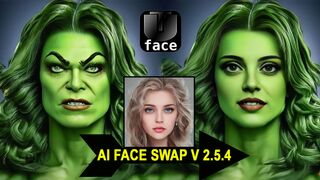
Face Swap with software AI Face Swap 2.5.4

Face Swap with software AI Face Swap 2.5.4

47 views
This tool operates by first identifying faces within an image or video frame. Once the faces are detected, the user can select specific faces for swapping. The software then...