Creator

qaiser62

The things you can do with Photoshop. Imagine having the power to change how a picture looks, remove all the unwanted imperfections, add some details, and a whole lot more with just a few points and clicks. This is why Adobe was definitely on point with this creation, knowing that it gives people the chance to create what they believe is perfection. Think you have what it takes to dabble with Photoshop? software. Urdu designing needs, like photoshop, inpage or kelk. I will try to make tutorials.

288 videos
91 followers

Videos

Latest videos from qaiser62

Create a YOUTUBE Banner with PHOTOSHOP

Create a YOUTUBE Banner with PHOTOSHOP

1 views
In this video, learn how to Create a new Photoshop document. For a banner, YouTube recommends the dimensions of 2560 pixels wide and 1440 pixels tall. Thanks for watching.
Compress Video Without Losing Quality

Compress Video Without Losing Quality

3 views
Take large video files and compress them to a smaller file size, without significant reduction in visual quality. Works with , MPEG, HD video files and all types of video and...
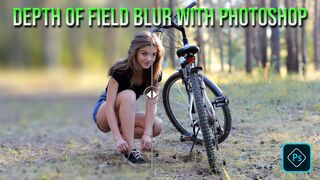
Depth of Field Blur with Photoshop

Depth of Field Blur with Photoshop

2 views
In this video, I will show you to play with depth of field, choose Filter, Blur Gallery, Field Blur. You'll see a pin in place blurring the entire image. an area you want to...
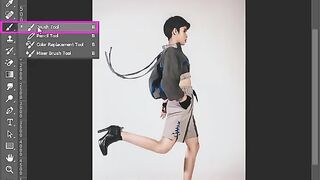
Brush History Photoshop

Brush History Photoshop

2 views
The History Brush tool allows you to restore parts of an image to an earlier history state by painting over them. Choose Window > History to open the History panel. In the...
Logo Design illustrator 2021

Logo Design illustrator 2021

3 views
In this video, learn how to design logo with easy steps in illustrator. Break down every option and secret of tool has to offer so that you can choose the one that works best...
Bring Guides in Center in Photoshop

Bring Guides in Center in Photoshop

1 views
In this video, learn how to bring guides in center by tricky way. Break down every option and secret of tool has to offer so that you can choose the one that works best for you....
Dodge and Burn Photoshop

Dodge and Burn Photoshop

4 views
The most simple method of burning and dodging is simply to use the Burn and Dodge tools in Photoshop. To use these tools, simply select the tool you want to use, then set the...
Text to Speech Feature in Microsoft Office 2013

Text to Speech Feature in Microsoft Office 2013

7 views
Did you know that Microsoft Word 2013 can read your document aloud to you? Admittedly, the text is spoken using a very robotic sounding voice, but at least you can proof “read”...