
How to fix slow and not charging
Check the Charging Cable and Adapter: Ensure they're properly connected and free from damage or debris.Restart Your Device: Sometimes a simple restart can resolve charging issues.Clean the Charging Port: Use a soft brush or compressed air to remove any dust or debris from the charging port.Try a Different Outlet: The outlet might be the problem, so try charging from a different one.Test with Another Charger: If possible, try charging your device with a different charger to rule out a faulty charger.Update Your Device Software: Sometimes software updates can fix charging issues.Check for Battery Health: If your device's battery health is low, it might not charge properly. Consider replacing the battery if necessary.Visit a Professional: If none of the above steps work, it's best to seek assistance from a professional technician or contact the manufacturer's support for further guidance.
Latest Videos

Arifureta From Commonplace To World's Strongest Season 3 Episode 5 In Hindi
Enjoy
#Arifureta #CommonPlace #WorldsStrongest #Anime #HindiAnime

Flex X Cop Season 2 Ep 1 - Eng Sub
Flex X Cop Season 2 _ Episode 1 ~ Eng sub

Bayern München berhasil mengalahkan Aston Villa dengan skor 2-1
Pencetak Gol Bayern: Gol Die Roten dicetak oleh bek Kim Min-jae pada menit ke-37 dan pemain pengganti Luis Díaz pada menit ke-73.
Pencetak Gol Aston Villa: Gol balasan The Villans dilesakkan oleh rekrutan baru...

Spongebob the saiyan
Fight between god

Dia lebih cocok menjadi pemain film bukan?
#fakeinjury #fake #panenka #football
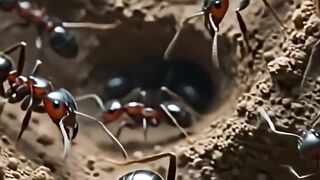
🎬 Fakta Hewan Paling Aneh #15 #DraculaAnt #FaktaHewan #Shorts #YouTubeShorts #FactHuntersID 2
🎬 Fakta Hewan Paling Aneh #15 #DraculaAnt #FaktaHewan #Shorts #YouTubeShorts #FactHuntersID

Broly vs spyder girl
Broly god

El Renacer de Luna: Capítulo 32🌙
Luna no puede saberlo
Luna lucha por descubrir quién está detrás de la muerte de su padre y no descansará hasta desenmascarar a quienes traicionaron a su familia....

Cm Vijay thalapathi Ber Hit Scene Ever😱
Best Hit scenes Of Vijay thalapathi
#ThalapathiVijayMovies

What a back flip
Huskyflip