
How too use a laptop
ChatGPT 3.5
bg
how too use a laptop
ChatGPT
Using a laptop is quite straightforward! Here's a basic guide:
Power On: Press the power button usually located on the side or top of the laptop.
Login: Enter your username and password if required.
Desktop: After logging in, you'll see the desktop screen. This is your main workspace.
Applications: on icons or use the Start menu to open applications like web browsers, word processors, etc.
Internet: Connect to Wi-Fi by clicking on the network icon in the taskbar.
Files: Access files by opening the File Explorer.
Settings: Adjust settings like display brightness, volume, etc., through the Control Panel or Settings app.
Shut Down: When finished, on the Start menu, then the Power button, and choose Shut Down.
Remember to handle the laptop gently and keep it away from liquids and extreme temperatures! If you have any specific questions, feel free to ask.
Latest Videos

The Great Ruler S2 Eps 31
Join Now https://pastelink.net/r8w76rit
Don't Forget
Follow Like Comment Share
THANK YOU FOR WATCHING
Soul Land 2 Eps 161
Join Now https://pastelink.net/r8w76rit
Don't Forget
Follow Like Comment Share
THANK YOU FOR WATCHING

Lingwu Continent Eps 196
Join Now https://pastelink.net/r8w76rit
Don't Forget
Follow Like Comment Share
THANK YOU FOR WATCHING

Indonesia harus puas finis di peringkat ketiga dengan koleksi 7 poin.
Ringkasan Klasemen Akhir Grup A Piala AFF 2026
Akibat hasil imbang pada laga krusial ini, peta persaingan di Grup A resmi ditutup dengan kegagalan Indonesia menembus babak gugur:
Vietnam keluar sebagai juara grup...
Azure Legacy S3 Eps 16
Join Now https://pastelink.net/r8w76rit
Don't Forget
Follow Like Comment Share
THANK YOU FOR WATCHING

Nargis betulful dance clip
Nargis # dance clip # Punjabi dance #2026

Girl dance 41
Dance hot
#Girls
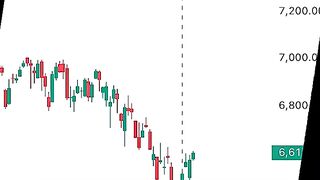
Buy Stocks Now - Iran War Marks Bottoms
#Investing #StockMarket #Iran #MarketCrash #BuyTheDip

The best videos ever
This videos is all about advice

Dance 612
Enjoy it to the fullest
#Dance