qaiser62

The things you can do with Photoshop. Imagine having the power to change how a picture looks, remove all the unwanted imperfections, add some details, and a whole lot more with just a few points and clicks. This is why Adobe was definitely on point with this creation, knowing that it gives people the chance to create what they believe is perfection. Think you have what it takes to dabble with Photoshop? software. Urdu designing needs, like photoshop, inpage or kelk. I will try to make tutorials.

286 videos
91 followers
Create Water Ripples in Photoshop

Create Water Ripples in Photoshop

5 views
In this video, we'll show you how to create water waves in Photoshop using different settings. These waves can be used to create a water ripple effect on any object, including...
Cartoon Oil Paint Photoshop

Cartoon Oil Paint Photoshop

2 views
Adobe Photoshop is a professional high-quality, high-resolution picture editing app that allows you to transform your snaps and photos into unique paintings. Create canvas...
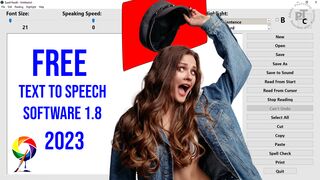
Free Text to Speech Software Typeit Readit

Free Text to Speech Software Typeit Readit

3 views
In this video, I will introduce a free software. An excellent free application that reads out loud any text using text-to-speech technology. Specially devised for blind and...
Brush Size Shortcut Photoshop

Brush Size Shortcut Photoshop

7 views
On a Mac, this shortcut is Option + Control + & Drag Horizontally. On a PC, the shortcut is Alt + Right + Drag Horizontally. When dragging to the left using this shortcut, the...
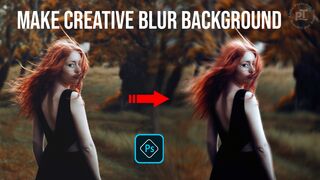
How to Make Creative Blur Background

How to Make Creative Blur Background

3 views
In this video learn how do I create a creative background in Photoshop. Blur filters precisely blur an image. You can specify a radius to determine how far the filter searches...
How to Use Voice Ai Voice Changer

How to Use Voice Ai Voice Changer

3 views
Choose from 1000s of different AI voices in Voice Universe - our UGC voice library. The possibilities are endless, whether you're playing Minecraft, Fortnite, Among Us or others...
Brush Size Shortcut Photoshop shorts

Brush Size Shortcut Photoshop shorts

3 views
In Photoshop for Windows, hold down ALT + Right + Drag Horizontally. If you drag left, the brush size decreases while dragging right increases the size. Thanks for watching.
Create a YOUTUBE Banner with PHOTOSHOP

Create a YOUTUBE Banner with PHOTOSHOP

1 views
In this video, learn how to Create a new Photoshop document. For a banner, YouTube recommends the dimensions of 2560 pixels wide and 1440 pixels tall. Thanks for watching.